Before Black Friday, Do You Need a Camera or a Better Phone-Video Workflow?
Creator Gear
Quick Summary
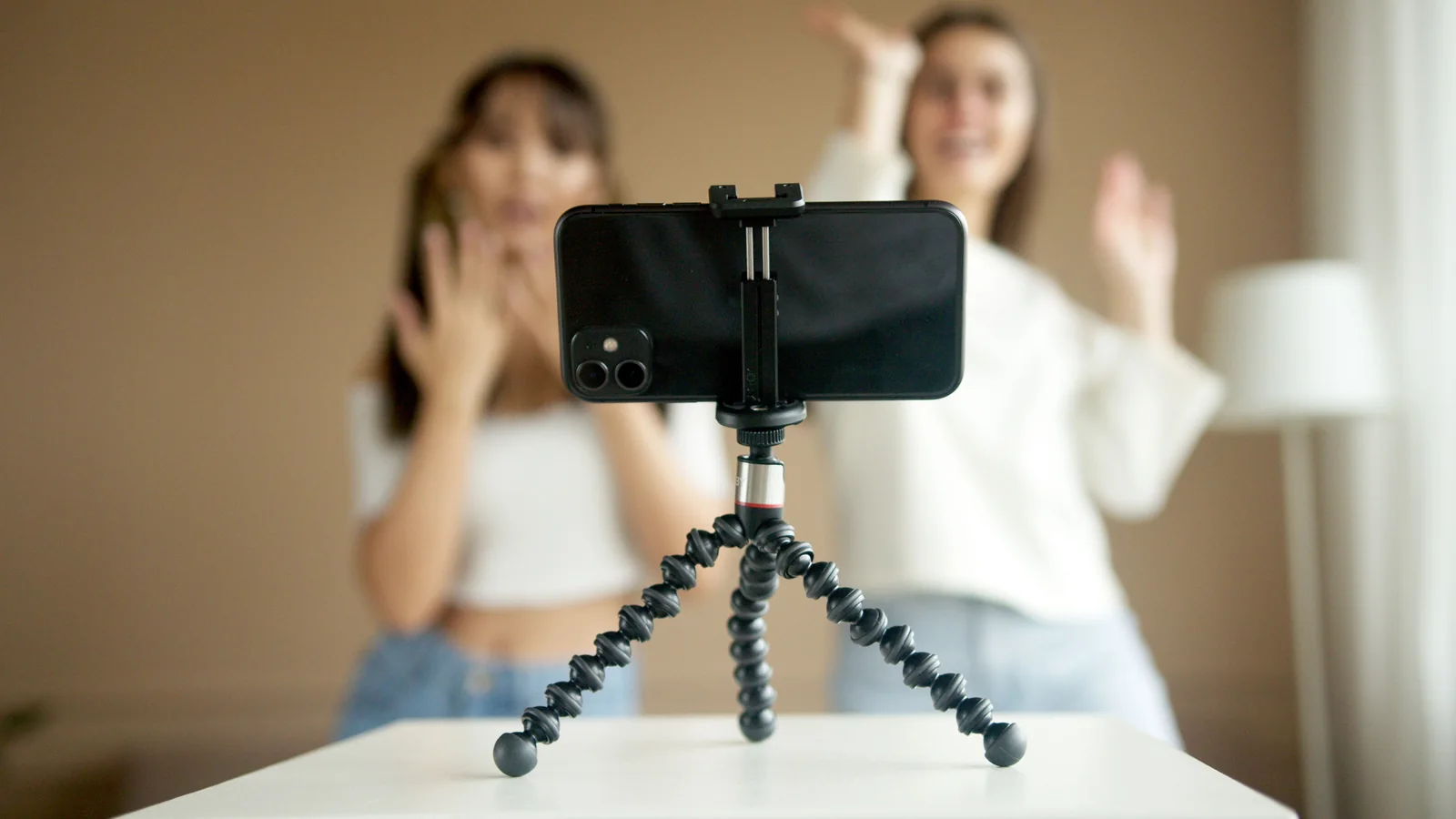
Do not begin a Black Friday camera search with megapixels, sensor sizes or a retailer's discount percentage. Begin with one finished video. In 60 minutes, use the phone you already own to record a short piece that resembles what you genuinely want to publish: a DIY demonstration, talking-head explainer, product close-up, vertical clip, lesson or family project. Test framing, focus, sound, light, stability, heat, battery, storage, transfer and editing. Write down where the process actually fails.
If the image is good but speech is muddy, the bottleneck is audio or room acoustics. If the picture is noisy only at night, test better light before replacing the camera. If footage shakes, fix support and movement. If recording is fine but files become a mess, improve storage and transfer. A dedicated camera becomes sensible when the phone repeatedly fails a requirement that technique and workflow cannot solve: reliable long recording, interchangeable lenses, controlled shallow depth of field, better low-light performance, dependable external connections, physical controls or a production setup in which the phone must remain available for calls and notes.
Why this decision matters now
Black Friday falls on 27 November 2026, and camera coverage is already moving into gift guides, deal tracking and creator-focused recommendations. That creates a useful planning window, but it also creates a familiar trap: buying a camera because camera-shaped objects are discounted rather than because a defined video job needs one. A £300 saving is still an expensive mistake if the new body adds batteries, cards, lenses and file-management work without improving the videos you finish.
The wider creator market gives the question more weight. IAB projected US creator advertising spend at $37 billion for 2025, up 26% year on year, while CIPA shipment coverage reported strong growth in mirrorless and compact-camera demand. Those signals help explain why retailers and manufacturers are competing hard for beginners. They do not prove that every new creator needs a dedicated camera on day one.
Community advice remains more grounded. In beginner creator discussions, the repeated theme is to start with a phone, learn to frame and edit, then spend only when a real limitation appears. That approach is less glamorous than unboxing a camera, but it is better DIY. It turns shopping into fault isolation. This guide gives you a one-hour test, a result table and a buying brief so any later purchase has a job rather than a vibe.
Choose one real video, not a collection of test shots
Pick a video you might genuinely make next month. It should be short enough to finish during the test but realistic enough to expose problems. A useful target is a 60-to-120-second final edit made from three to six clips. You might explain how to reset a smart plug, show a solder joint, demonstrate a keyboard shortcut, record a miniature-painting step, film a recipe stage or give a direct-to-camera update.
Avoid wandering around the house filming lamps, pets and random zoom tests. Those clips can tell you that the camera turns on. They cannot tell you whether your workflow can produce the thing you care about. Write a tiny brief with four lines: intended viewer, orientation, publishing destination and the one action or idea the viewer should understand. Decide whether the final piece is horizontal, vertical or both before recording. Reframing a badly planned horizontal shot into a vertical clip often produces more pain than content.
Use the phone's normal camera app first. Disable beauty filters, novelty portrait effects and aggressive digital zoom. Clean the lens with a suitable soft cloth, check free storage, switch on Do Not Disturb and record at a sensible mainstream setting such as 1080p at 30 frames per second unless the project clearly needs more. Starting at maximum resolution can create heat and storage problems that have nothing to do with storytelling quality.
Minutes 0–10: test composition, focus and exposure
Set the phone at roughly eye level for a talking-head shot or directly above and slightly forward for a desk demonstration. Use a support you already own, borrow one, or make a stable temporary platform that cannot topple onto the project. Do not hand-hold the first test. You are trying to judge the camera, not your forearm's ability to impersonate a tripod.
Frame the important subject with space for hands, tools and captions. Check the background for bright windows, personal documents, reflective screens, washing and other uninvited supporting actors. Tap the subject to set focus and exposure. If the app allows focus or exposure lock, use it so brightness does not pump every time a hand enters the frame. Record 30 seconds while performing the actual task rather than sitting perfectly still.
Review the clip at normal size, not with your face two centimetres from the screen. Look for focus hunting, clipped highlights, a face that is too dark, unreadable small details and changes in colour as the subject moves. If the phone keeps choosing the wrong point, simplify the background, add light or use an app that offers more control. If it cannot resolve a genuinely important close-up at a practical distance, note the required working distance and field of view. That evidence is more useful than saying you need “better quality”.
Minutes 10–20: test sound before blaming the picture
Record the same short explanation from three distances: roughly 30cm, one metre and two metres. Keep the room and speaking volume unchanged. Then listen through headphones. Speech that sounded acceptable from the phone speaker may reveal echo, heating noise, traffic, computer fans or automatic gain pumping once heard properly.
Distance usually matters more than microphone marketing. A phone close to the speaker in a soft room can sound clearer than an expensive camera-mounted microphone several metres away. Before buying anything, move closer, close windows, switch off avoidable fans, move away from bare walls and place soft furnishings outside the frame. If you are filming a bench, consider recording narration separately in a quieter position rather than forcing live speech over tool noise.
Mark the audio failure precisely. “Quiet” may need closer placement or input level. “Echoey” needs room treatment or a microphone nearer the mouth. “Windy” needs shelter and an appropriate wind cover. “Crackles when the cable moves” points to a connector or adapter problem. “The phone chose the wrong input” is a compatibility and monitoring problem. A dedicated camera does not automatically solve any of those; in some cases it adds another set of adapters and menus.
Minutes 20–30: test daylight, room light and one controlled light
Make three ten-second clips from the same position. First use ordinary room lighting. Second, face a window or place the subject near soft daylight. Third, add one lamp from the front and slightly to one side, while preventing a bare harsh bulb from pointing straight into the face or reflective object. Keep the phone's angle and settings as consistent as possible.
Compare skin tone, shadows, noise and small-detail clarity. If the phone improves dramatically near the window, the sensor was not necessarily the problem; the available light was. Better light also helps autofocus and allows faster shutter speeds, which makes moving hands clearer. A larger-sensor camera may cope better in low light, but improving the scene can benefit every camera you own now and later.
Watch for mixed colour temperatures. Cool daylight from a window and a very warm room lamp can make one side of a face blue and the other orange. Turn off conflicting lights or use a single dominant source. Do not buy a complicated lighting kit before learning what one soft, well-positioned source changes. The goal is repeatability: can you produce similar exposure and colour tomorrow, after the brief burst of Black Friday enthusiasm has left the building?
Minutes 30–40: test stability, movement and close-ups
Record one locked-off shot, one slow handheld move and one close-up of the smallest detail your videos need to show. For the handheld clip, tuck elbows in, move from the body and avoid digital zoom. If your phone has several rear cameras, switch only when stopped; abrupt lens changes can alter colour, exposure and perspective.
If the fixed shot works but movement looks poor, you may not need a new camera. You may need fewer moving shots, better hand technique, a stable support or a clearer shot plan. Many useful DIY videos are stronger when the main angle stays still and short close-ups are inserted only where they clarify a step. Constant movement can make a simple explanation harder to follow.
Close-ups reveal a different problem. A phone may switch automatically to an inferior macro camera, apply heavy sharpening or cast a shadow because it must sit too close. Try more light and modest physical distance, then crop slightly in the edit. If the required detail still cannot be shown reliably, write down whether the need is magnification, working distance, manual focus or lens choice. That can justify a camera and lens combination, but the lens is the solution; buying a body without budgeting for the right lens simply relocates the disappointment.
Minutes 40–50: test heat, battery, storage and interruptions
Record continuously for ten minutes at the setting you expect to use. Watch for heat warnings, dimmed screens, dropped frames, stopped recordings and rapid battery loss. Check the file size afterwards. Multiply it by the duration of a normal project and add room for retakes. A phone that is excellent for short clips may be a poor choice for a 45-minute lesson if it overheats, runs out of space or must remain available for calls.
Now test the boring operational details. Can you power the phone safely while recording without the cable entering the shot or straining the port? Can you monitor audio? Does an incoming call interrupt recording? Does cloud backup begin while you are working? Can you identify which clip is which? If the phone is also your script, timer, remote control and communications device, those roles may conflict.
This is where a dedicated camera can earn its keep even when image quality is similar. A separate device can remain mounted, preserve settings, use removable media and leave the phone free. Conversely, if your projects are short and the phone remains cool with plenty of storage, a camera may add charging and card management without solving a real problem.
Minutes 50–60: transfer, edit, export and publish privately
Move the clips into the editor you actually intend to use. Do not finish the test inside the camera roll if your real workflow involves a Windows PC, Mac, tablet, NAS or cloud folder. Time the transfer. Confirm that orientation, frame rate, colour and sound survive. Rename or organise the project so you could find it in six months.
Create the 60-to-120-second edit. Trim pauses, insert the close-up, balance speech, add one title and export at the platform's normal delivery resolution. Watch the exported file on another device. If possible, upload it privately or unlisted so the platform's compression and caption workflow are part of the test. A beautiful source file that becomes awkward, delayed or incorrectly framed at publication is not a successful workflow.
Note which stage consumed the most time. If recording took ten minutes and file transfer took forty, buying a camera with larger files may make the problem worse. If the edit struggled because the phone recorded a format your computer handles poorly, change capture settings or create proxies before replacing hardware. If the final result is clear and useful, publish more work before shopping. Finished videos provide better upgrade evidence than specification spreadsheets.
Read the result: what should you improve first?
| Observed failure | First remedy to test | When a dedicated camera becomes reasonable |
|---|---|---|
| Speech is distant, echoey or noisy | Move the microphone closer, improve the room and simplify the audio path | You need dependable monitored inputs, multiple sources or longer production workflows |
| Image is noisy only in a dim room | Add or reposition soft light; reduce mixed lighting | Low-light work is unavoidable and lighting cannot be added |
| Focus hunts during demonstrations | Lock focus, add light, simplify the frame and mark the working position | You need repeatable manual focus, lens control or a more suitable autofocus system |
| Handheld footage shakes | Use a fixed support, planned shots and slower body movement | Moving shots are central and a proven stabilised camera-and-lens setup meets the job |
| Small details cannot be shown | Improve light, distance and crop; test the phone's best main camera | You need a specific macro or close-focusing lens and controlled manual focus |
| Long recordings overheat or stop | Lower the recording mode, remove the case if safe, shorten takes and manage power | Continuous recording is essential and a camera passes the duration test reliably |
| The phone is needed for calls, scripts or control | Use printed notes, another display or a simple remote workflow | Role conflict repeatedly disrupts production and a permanently mounted camera saves time |
| Transfer and editing are the slow part | Improve file naming, storage, codecs, proxies and backup | The proposed camera has a tested ingest path that is genuinely faster or more robust |
| The completed video already meets its purpose | Make more videos and record recurring friction | A future project introduces a requirement the phone cannot meet |
When a dedicated camera is a real upgrade
A dedicated camera is justified when it removes a measured production limit rather than merely making the setup look more professional. Interchangeable lenses can provide a useful wide view in a small room, real macro working distance, controlled background separation or a reach that a phone cannot match. Larger sensors and appropriate lenses can improve low-light quality when adding light is impossible. Physical controls can make exposure and focus repeatable. Clean HDMI, reliable USB streaming, headphone monitoring, microphone inputs, removable media and replaceable batteries can support longer or more complex sessions.
Ergonomics matter too. A camera can stay on a mount with the correct plate, lens, power and framing. That repeatability reduces setup time. If each phone shoot begins by removing a case, silencing notifications, freeing storage, rebuilding a mount and surrendering the device needed for notes, a separate camera may improve consistency even before viewers notice an image difference.
However, price the complete working system. Include the lens that creates the required view, spare battery or external power, memory card, reader, support, audio connection, cables, storage and editing capacity. Check recording limits, overheating reports, autofocus behaviour, regional model details, return terms and whether important software features require subscriptions. A discounted camera body is not a complete creator workflow.
When the phone is still the better tool
Keep using the phone when it produces a clear final result, you can control interruptions, the required takes are short and the editing path is fast. Phones are especially strong for vertical clips, quick demonstrations, location work, behind-the-scenes footage and projects where discreet setup matters. Their stabilisation, computational processing and immediate sharing can remove friction that a camera reintroduces.
The best tool is not the one with the largest sensor. It is the one you can operate repeatedly without losing the idea between setup and recording. A phone that is charged, familiar and already in your pocket can outperform a camera left in a cupboard because its battery is flat, its card is full and its menu system has become an escape room.
If the one-hour test passes, make five real videos before revisiting the decision. Keep a short fault log: what delayed the shoot, what viewers could not understand and what compromised the final result. Recurring failures create a defensible buying brief. One awkward afternoon creates a browser tab full of expensive feelings.
Build a Black Friday buying brief from evidence
- State the video job. Define subject, duration, orientation, location and publishing destination.
- Name the phone failure. Use a measurable phrase such as “stops after 22 minutes at 4K” or “cannot show a 10mm component without blocking the light”.
- List the required feature. Examples include a specific lens angle, reliable continuous recording, monitored audio input, removable storage or clean video output.
- Set the complete budget. Include lens, power, media, support, audio, storage, software and return costs.
- Record normal prices. Compare the exact UK model and kit contents before the sale.
- Check support and returns. Read manufacturer documentation and retailer terms rather than trusting a marketplace title.
- Plan an arrival test. Repeat the same one-hour project while the return window remains open.
The arrival test is critical. Use the same room, subject, sound, light and edit. If the camera does not improve the written failure enough to justify the cost and extra workflow, return it. Do not invent a new requirement to defend the purchase. Hardware does not need emotional protection.
Common beginner mistakes
- Buying resolution instead of solving communication: 4K cannot rescue unclear explanation, distant sound or a badly framed step.
- Ignoring the lens: the body may be discounted while the lens needed for the actual room or close-up is not.
- Testing only in a bright shop: reproduce the home room, working distance and recording duration.
- Assuming background blur equals quality: shallow depth of field can make hands, tools or products drift out of focus.
- Forgetting audio monitoring: a visible level meter does not prove the recorded sound is clean.
- Underestimating file sizes: higher bitrates affect cards, transfer time, backup space and editing performance.
- Replacing every weak link at once: change one variable so you know what improved the result.
- Buying for an imaginary future channel: solve the next five videos, not a studio you might build after winning an argument with the algorithm.
Editorial and research notes
Research on 31 October 2026 covered several UK DIY-tech directions. Black Friday camera and creator-kit coverage was already building, creating immediate buying intent. Creator-economy spending forecasts showed continued commercial growth. Camera-industry reporting showed stronger mirrorless and compact shipments, while community discussions repeatedly advised beginners to start with a phone and develop filming and editing skills before buying specialist kit.
Alternative candidates included winter smart-heating setup, festive smart lighting and gaming upgrades. Smart Home DIY was rejected because it was the previous day's category and already appeared three times in the latest seven posts. Festive lighting had also just been covered. A gaming-PC or peripheral audit remained viable, but the creator-camera question had the stronger combination of current sale interest, a less-recently-used category and a clear way to prevent a costly purchase.
This is deliberately a non-product-led decision guide. No affiliate links are included. Two potentially relevant creator accessories were checked using the site's canonical Amazon parser, but neither produced the required Amazon/Amazon EU direct merchant signal through the HTTP-first and browser-fallback checks. Publishing unverified listings would weaken the buying advice and breach the site's product rules. The useful outcome is therefore a diagnostic workflow that helps the reader identify whether any accessory or camera is needed before choosing a listing.
Related guides
- How to Film Better Phone Videos Without Buying a Camera
- 5 Desk Lights for Clearer Video Calls and DIY Project Videos After UK Daylight Fades
- How to Fix Webcam and Microphone Conflicts Before Video Calls
- How to Record Clean Voiceovers for Shorts, Reels and Tutorials
- Wireless Lavalier Microphones for UK Creators: 5 Easy Picks