Before Black Friday, Does Your Home Network Need an Upgrade? A 30-Minute Buying Audit
Home Networking
Quick Summary
Black Friday is on 27 November 2026, but the useful work starts before the deal pages fill up. Spend 30 minutes testing the network you already have. Run one wired test beside the main router, repeat the problem on the affected device, walk through the home with the same phone or laptop, and check what happens when the household is busy. Those four observations usually reveal whether the problem is the broadband service, one device, weak Wi-Fi coverage, wireless congestion, limited wired ports or an unsupported router.
The result may justify mesh, a wired access point, a small Ethernet switch or a newer router. It may also justify no purchase. Record exact model numbers, required features, firmware-support promises, return terms and normal prices before looking at discounts. A genuine bargain solves the fault you measured and survives an arrival test while it can still be returned. A cheap box that duplicates equipment you already own is not a saving.
Why run the audit now instead of waiting for the sale?
Which? published its 2026 Black Friday coverage on 25 October, confirming that the main event falls on Friday 27 November and saying that its experts are already tracking prices. The consumer group also notes that offers can appear weeks early and that it compares current prices with the cheapest and average prices seen over the previous six calendar months. That is a better buying mindset than opening a retailer page on the day and trusting a large percentage printed in red.
The Advertising Standards Authority's 8 October 2026 Black Friday guidance makes the same underlying point from the advertising side. Savings claims should be genuine and supported by evidence; important conditions and stock limits should be clear; and promotions should not create irresponsible pressure. A countdown timer can tell you when a sale ends. It cannot tell you whether your back bedroom needs a mesh node, whether your laptop has a poor Wi-Fi card or whether the advertised “was” price was ever normal.
This audit deliberately begins with diagnosis rather than recommendations. Network shopping is unusually vulnerable to category mistakes. A faster full-fibre package will not fix a dead spot behind two brick walls. A premium Wi-Fi router will not repair a damaged broadband line. Three mesh nodes will not improve a desktop that could have used one Ethernet cable. A 2.5GbE switch will not make a television with a 100Mbps port negotiate faster. Thirty measured minutes can prevent several years of living with the wrong solution.
Set up the audit: one timer, one note and one known problem
Choose a real complaint rather than “the internet could be better”. Useful examples include a work call freezing upstairs, a console taking too long to download in the lounge, a smart camera dropping out near the front door, a television buffering in the evening or a desktop copying files slowly to a home server. Write down the room, device, activity and usual time. That sentence is your acceptance test for any purchase.
Use the same speed-test service throughout, but do not worship the download number. Record download, upload, idle latency and loaded latency if the service reports them. Also test the activity that matters: join a test call, stream the troublesome programme, copy a large local file or watch whether a camera remains connected. A network can post an impressive peak speed and still be miserable because latency jumps, packets are retried or the connection pauses under load.
Do not factory-reset anything during the audit. Do not move every mesh node, change five channels and reboot the provider equipment at once. The aim is to observe the current system, then make one reversible change if the evidence calls for it. Photograph the existing layout and labels. If a setting change later makes matters worse, you need a route back.
Minutes 0–5: establish the wired baseline
Connect a laptop or desktop directly to a LAN port on the main router with a known-good Ethernet cable. Switch off Wi-Fi on that test device so it cannot quietly remain wireless. If the home uses full fibre, the small optical network terminal, or ONT, normally feeds the router; leave that provider connection alone and test from the router's LAN side. If no suitable computer has Ethernet, use a compatible adapter you already own or borrow one rather than treating the missing socket as permission to shop immediately.
Run the test twice and record the result. This gives you the best quick separation between the internet service entering the home and the Wi-Fi used around it. If wired performance beside the router is healthy and repeatable but the problem room is poor, the package itself is unlikely to be the first thing to upgrade. If wired performance is also poor, compare another cable and device, check the provider's service status, inspect the router or ONT lights and repeat at the time the fault normally appears.
UK full-fibre services can provide substantial speed to the router, but that does not guarantee the same rate through every wall or on every client. Conversely, a household does not need a gigabit package simply because gigabit is available. Judge whether the delivered service meets the actual workload and whether the local network can distribute it. Our deeper guide to checking whether the router is the real bottleneck provides a longer fault-isolation process if this first test fails.
Minutes 5–10: decide whether this is one device or the whole home
Take the device that normally fails and test it beside the router. Then test a second, reasonably modern device in the same place. If the first remains poor while the second performs normally, investigate the client before replacing the network. Update its operating system and Wi-Fi driver, check power-saving settings, confirm that it is not stuck on an unsuitable band, pause a background backup and inspect whether its storage or processor is saturated.
Now reverse the comparison in the problem room. If two different devices both deteriorate in the same location, you probably have a coverage, interference or backhaul problem. If only one device struggles there, its radio and antenna may be less capable. Televisions, low-cost smart-home products and older laptops can have modest wireless hardware even when a phone reports excellent performance nearby.
This distinction changes the shopping list completely. A single-device fault may need a driver update, wired connection or client adapter. A whole-room fault may need better access-point placement. A whole-home fault affecting wired and wireless devices may point back to the provider service, router stability or congestion. Do not buy a whole-home wireless system to cure one ageing laptop until that laptop has lost a fair comparison.
Minutes 10–15: make a simple Wi-Fi coverage map
Keep one test device in your hand and walk a repeatable route: beside the router, the main sitting area, each working or sleeping room, the garden office if relevant and the place where the fault is reported. At each stop, wait for the device to settle, note the Wi-Fi band or access point if visible, then run a short test. Mark the result as good, usable, unstable or dead. You do not need a professional heat-map tool to see a pattern.
Look at geography. Thick masonry, foil-backed insulation, metal appliances, mirrors, underfloor materials and awkward extensions can weaken or reflect radio signals. A router on the floor behind a television has to fight both placement and the building. Temporarily raise it, bring it into the open and repeat one failed location. If the room improves, placement is part of the answer. The same principle applies to an existing mesh node: a node beside the dead spot may itself have a weak wireless route back to the main unit.
Coverage maps also reveal where not to overspend. One weak office with an existing Ethernet run does not demand a three-node mesh kit; it may need one access point. Several weak areas with no practical cable route may suit mesh. Strong signal everywhere but poor performance during busy periods points toward congestion, backhaul or router capacity rather than coverage. For a more detailed measurement routine, use our home Wi-Fi audit before buying Wi-Fi 7 or mesh.
Minutes 15–20: reproduce congestion instead of guessing at it
Ask what else happens when the fault appears. Cloud backups, game downloads, security-camera uploads, video calls, operating-system updates and several streams can compete for bandwidth and router processing. Start one representative heavy task, then repeat the call, game or browsing test. Watch loaded latency as well as speed. If everything becomes sticky while upload is busy, upstream capacity or queue management may be the real limit.
Check the router's client list if it is understandable. You are not hunting for a dramatic hacker story; you are looking for forgotten tablets, guest devices, consoles updating in standby or a computer moving a large backup. Pause one known heavy transfer and retest. A router with effective traffic management may keep calls responsive during a download. An older or limited unit may allow one transfer to dominate the connection.
Wireless congestion is different from internet congestion. In a block of flats, neighbouring networks may crowd the same channels. On 2.4GHz, wide channels and overlapping networks can make performance inconsistent. On 5GHz or 6GHz, range and client compatibility matter. Use the router's channel view or a reputable analyser only as supporting evidence. Automatic channel selection is not always bad, and manually choosing a quiet channel at midday does not guarantee that it remains quiet at 8pm.
Minutes 20–25: check capability, support and security
Read the exact model number and hardware revision from the router, mesh node, switch or access point. Do not record only the family name. Manufacturers sometimes sell several revisions under one familiar product label, with different processors, ports and firmware lifecycles. Search the manufacturer's support page for the latest firmware date, current security advisories, supported encryption and end-of-life notice. For provider equipment, check whether updates are delivered automatically and whether a newer hub is available under the existing service.
At minimum, ordinary home Wi-Fi should not depend on obsolete WEP, original WPA or TKIP security. A replacement should support current mainstream security, receive updates and allow the household to change administrator credentials. Check whether important features are local or subscription-dependent. Parental controls, threat filtering, device history and remote access can change or disappear when a trial ends, so separate core networking from optional services.
Then inspect physical capability. Are the Ethernet ports gigabit or only 100Mbps? Does the router have enough LAN ports? Does a mesh system support wired backhaul? Is a multi-gig port usable for LAN, WAN or either? Does the system support the client devices you own rather than only those you may buy someday? Our guide to deciding whether Wi-Fi 7 is worth it explains why a newer wireless standard earns its price only when devices, broadband or local traffic can use it.
Minutes 25–30: choose the smallest remedy that matches the evidence
| Audit result | Most likely next step | What not to assume |
|---|---|---|
| Wired baseline is poor on two devices | Check provider status, package, ONT or line, WAN cable and router health | A mesh kit cannot improve service that is already poor at the router. |
| Wired is good; one device is poor everywhere | Update, repair, wire or replace the client connection | The whole home network is not guilty because one radio is weak. |
| One room is weak and Ethernet reaches it | Add or reuse one wired access point | You do not automatically need several coordinated nodes. |
| Several rooms are weak and cable is impractical | Consider a mesh system with enough nodes for measured locations | The most expensive pack is not necessarily the right placement plan. |
| Coverage is strong but many stationary devices share Wi-Fi | Wire them through a suitable Ethernet switch | A faster router is not the only way to reduce wireless load. |
| Calls fail when uploads or downloads run | Investigate upstream capacity, queue management and router load | A larger download headline alone may not fix latency. |
| Existing hardware is stable, supported and meets every test | Buy nothing; keep the notes and review later | A discount does not create a requirement. |
Mesh, access point, switch, router or no purchase?
Choose mesh for coordinated coverage where cabling is difficult
Mesh is appropriate when several areas need coverage, a cable route is genuinely impractical, devices move around during calls and simple central management matters. Node placement remains critical. A wireless mesh node needs a decent connection back to the main node, so placing it in the dead zone can repeat the original problem. If Ethernet is available, wired backhaul can improve consistency and free wireless capacity.
Choose a wired access point for a known weak area
A wired access point is often the cleanest fix for one floor, office or extension. Ethernet carries traffic back to the main router, so the access point can sit where coverage is needed rather than halfway back for wireless relay. A suitable old router can sometimes prove the design before purchase; our guide to reusing an old router as a wired access point covers access-point mode, DHCP and double-NAT precautions.
Choose a switch when the missing feature is simply more ports
An unmanaged Ethernet switch adds wired ports for stationary equipment such as a television, console, desktop, printer, server or access point. It does not replace the router or improve the broadband line by itself. Gigabit is still sufficient for many UK homes. Multi-gig equipment makes sense when at least two endpoints and the workload can exceed gigabit, not merely because a sale page calls 2.5GbE future-proof. See the wired network upgrade guide for the full path-checking method.
Choose a new router when the main router is the measured limit
A replacement router earns its keep when the existing unit is unstable, unsupported, short of necessary ports, unable to handle the connection speed, missing required controls or weak even in sensible nearby tests. Check how the replacement works with the ISP. Some services allow a third-party router directly; others require the provider hub, modem mode, login details, VLAN settings or Digital Voice arrangements. Do not disconnect a working phone service casually.
Choose no purchase when the system passes
No purchase is a valid and useful audit result. Update the firmware, move the router into the open, wire the stationary device, pause badly timed backups or remove an obsolete extender. Save the model and price research for the day a real requirement appears. The cheapest Black Friday upgrade is the one you can prove you do not need.
Build a buying brief before opening a deal page
Write a one-paragraph specification from the audit. For example: “Need one wired access point for the upstairs office, gigabit Ethernet, current WPA security, no mandatory subscription, ceiling or shelf placement, and support for the existing router's network name.” Another household might write: “Need two-node mesh for the ground floor and loft, wired backhaul later, three spare LAN ports at the main unit, simple guest network and a published support policy.” This brief makes unsuitable discounts easier to reject.
Record the exact model, regional suffix and hardware revision of every candidate. Check the manufacturer's support page, manual and firmware history rather than relying on a retailer title. Confirm included power supplies, node count, port speed, backhaul options, mounting method and whether advertised features require a subscription. Read independent testing for stability and coverage, but remember that another reviewer's house is not your house.
Check returns before buying. Network equipment can be sensitive to building layout and client compatibility, so a clear return window matters. Record whether opened items can be returned, who pays return postage and whether marketplace sellers have different terms. Keep the packaging until the arrival test is complete. A system that only proves itself after the return window has closed is an unnecessarily expensive experiment.
Track the real price, not the theatrical saving
Start a simple price note now: retailer, date, exact model, normal selling price, lowest observed price, delivery cost and bundle contents. Use reputable price-history and comparison tools where available, but check that the model and pack size match. A two-node kit and three-node kit can share similar names. A version sold without a power supply or with slower ports can make a comparison meaningless.
Treat recommended retail price as context, not proof of value. Ask whether the product has actually sold near that price and whether the current figure is lower than the normal market price. Ignore countdown pressure long enough to verify support and returns. If a retailer says only three remain, that may affect availability, but it does not change your network diagnosis. If the deal expires before you can verify the exact model, let it expire.
Also compare the cost of the whole remedy. A cheap access point that requires a power-over-Ethernet injector, suitable cable and mounting hardware may cost more than its headline price. A mesh pack may replace an existing router or work alongside it; the two designs can have different implications for Digital Voice, port forwarding and parental controls. A switch may need only one spare socket and cable. Price the system you will install, not the box photographed on the retailer page.
Run an arrival test while the return window is open
- Photograph labels and packaging. Confirm the exact model, revision, serial details and included components match the order.
- Update before judging. Install current stable firmware, change the administrator password and record the version.
- Reproduce the old fault first. Keep the original audit notes so the comparison uses the same room, device and task.
- Change only the intended part. Do not simultaneously change the broadband package, cable route, network name and every client setting.
- Repeat the wired baseline. New networking hardware should not make the known-good path worse.
- Repeat the coverage route. Test every marked location, not only the room where setup took place.
- Apply household load. Run the call, stream, upload or game download that previously exposed the problem.
- Check ordinary features. Test printers, casting, smart-home control, guest Wi-Fi, work VPN, consoles and any port forwarding you actually use.
- Watch stability. Leave the system running through sleep, restart and a normal busy evening; note heat, reboots and dropped clients.
- Keep or return by evidence. Keep it if the acceptance test passes without creating worse problems. Return it promptly if the measured fault remains.
If the home depends on broadband for Digital Voice or essential communications, remember that networking hardware needs power. Full fibre does not keep the ONT and router alive during a household power cut. Our guide to UPS backup for broadband and home tech explains how to map the powered chain, while also making clear that a retail UPS cannot guarantee the provider network remains available.
Common Black Friday network-buying mistakes
- Buying a speed tier instead of solving coverage: more speed at the router does not force Wi-Fi through hostile walls.
- Buying mesh by floor count alone: layout, construction, node backhaul and placement matter more than a simple one-node-per-floor rule.
- Assuming every port is the advertised maximum: a router may have one multi-gig port and several gigabit ports, or use the fastest port for WAN.
- Ignoring client limits: an older phone, television or laptop cannot use features it does not support.
- Replacing supported equipment because it looks old: measured performance, security support and reliability are better tests than appearance.
- Reusing unsupported equipment permanently: a spare router can be a useful controlled test, but obsolete security and unstable power supplies are reasons to retire it.
- Forgetting subscriptions: check which parental-control, security or history features remain after any trial.
- Discarding packaging immediately: keep everything until the network survives the real workload and return decision.
Editorial and research notes
Candidate research for 28 October 2026 covered three broad editorial directions. Black Friday technology buying had the clearest fresh hook: Which? had begun 2026 deal and price tracking, confirmed the 27 November date and explained its six-month price comparisons, while the ASA's 8 October guidance warned that savings claims, stock limits, significant conditions and urgency must not mislead. That supported a measured pre-purchase audit rather than another router or mesh recommendation roundup.
Winter-heating research was also current, including boiler-flow-temperature and smart-meter guidance, but DigiTech Media published a detailed seven-day boiler test on 27 October. A second consecutive heating article would have narrowed the mix and repeated the previous day's format. Windows 10 and older-PC reuse remained useful evergreen candidates, particularly where unsupported software, safe reuse and replacement pressure meet, but the site has already developed several older-PC and operating-system decision guides and the immediate Black Friday timing was stronger for home networking.
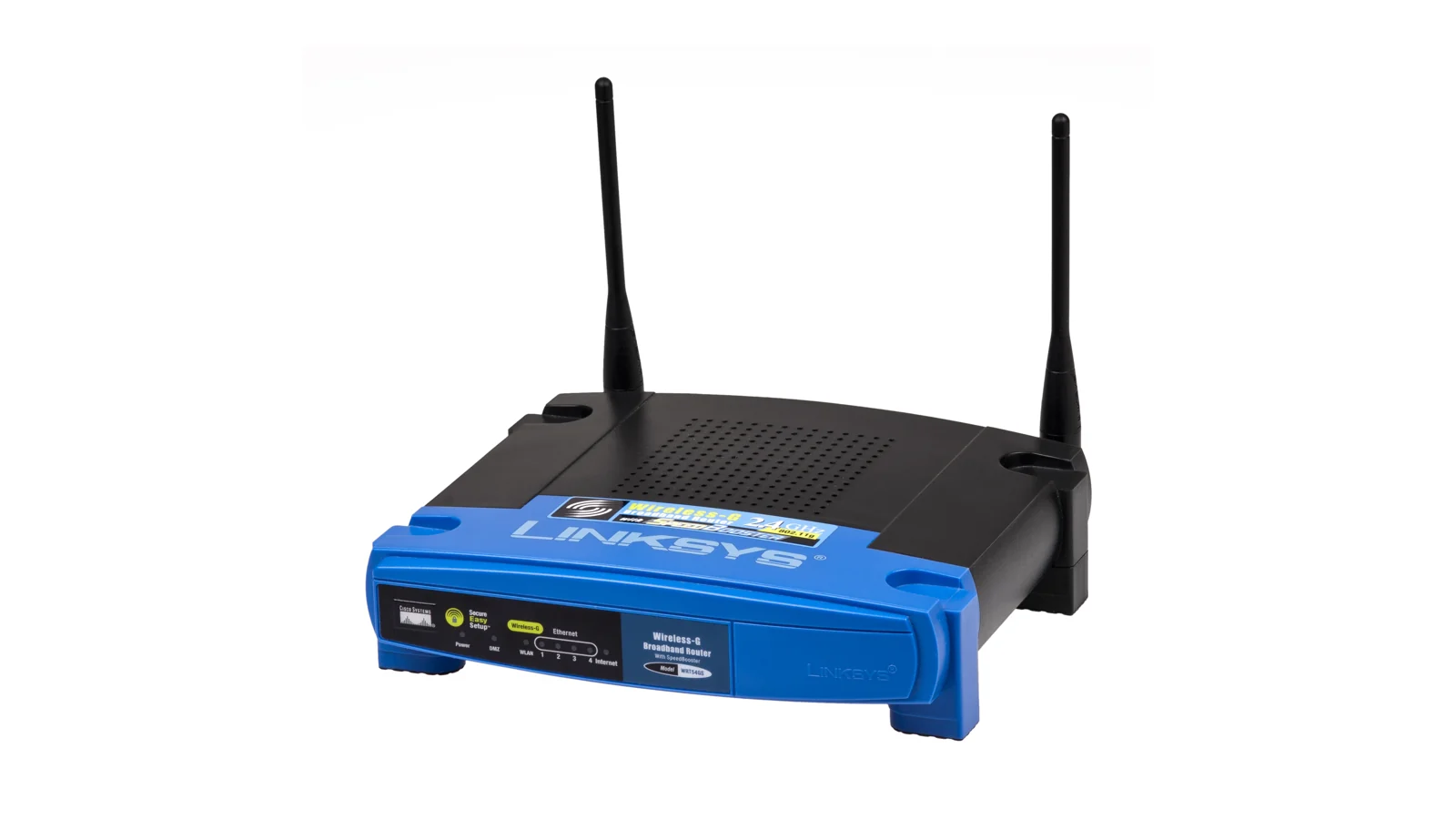
Home Networking was selected because category rotation favoured moving away from the previous Smart Home DIY article and because sale-season networking advice is often overly product-led. This article therefore focuses on diagnosis, exact requirements, support, returns, price history and post-arrival testing. The existing public-domain router photograph was reused because it directly illustrates the editorial point: equipment should be judged by capability, support and measured performance, not automatically replaced because a newer box is discounted.
No Amazon links are included. That is deliberate. The article's purpose is to determine whether a purchase is needed and which equipment category fits, not to steer a still-uncertain reader toward a particular listing. Exact models, sellers, availability and support terms should be checked only after the audit produces a buying brief; inserting affiliate links before that decision would work against the guide's utility-led intent.
Final decision matrix
| If your evidence says… | Shortlist… | Require before buying… |
|---|---|---|
| The service is poor even when wired beside the router | Provider support, package review or a proven router replacement | Two-device results, cable check and clarity about ONT, modem and Digital Voice needs |
| One cabled room needs Wi-Fi | One modern access point | Current security, supported firmware, appropriate power and a clear management method |
| Several uncabled areas need coordinated coverage | A correctly sized mesh system | Suitable node count, backhaul plan, adequate ports, return window and no surprise subscription |
| Stationary devices are consuming wireless airtime | A gigabit or measured multi-gig switch | Enough ports, correct speed across the whole path and safe cable routing |
| Only one client remains weak | A client-side fix or wired connection | Driver, operating-system and compatibility checks before replacement |
| Every acceptance test already passes | Nothing | A saved baseline and a future review trigger, not a sale deadline |
The buying rule is simple: purchase the smallest supported change that fixes the written complaint in the places and under the load that matter. Verify the price against history, verify the model against the manufacturer and verify the result before the return window closes. Black Friday can reduce a price. Only your audit can determine whether the product is an upgrade.
Related guides
- How to Check If Your Broadband Router Is the Real Bottleneck Before You Switch Deals
- How to Reuse an Old Router as a Wired Access Point Before Buying Mesh Wi-Fi
- 5 Wired Network Upgrades for Faster Game Downloads and Home-Server Transfers
- How to Tell if Wi-Fi 7 Is Worth It in a UK Home in 2026
- 5 UPS Backup Options for Broadband and Home Tech During UK Power Cuts